I upgraded 2 home computers to Win 8 on the weekend.
One was my "main" homer laptop, and the other was my wife Jo's (VA3JOC) daughter's (she was visiting on the weekend). The interesting thing is that when she saw mine, she thought it looked "very cool" and just had to have it. I spend a few minutes showing her how to use it, and she loved it.
I did not find ANYTHING that I could not do (but note I have not tried a lot of ham sw yet). A couple of things I had to do a quick google for, but no problem. The new interface takes a few minutes to get used to, but I like it. The integration of old and new UI is a little weired, but that seems to be the only way that they could provide and environment to run old apps (all I have tried so far do). The switching back and forth is clean, and both old and new apps can be active at a time.
The online install and keep your data option worked fine for me (but I did have a data backup just in case :-)
IMHO bottom line is that kids/teens/young adults are going to love it (especially on a tablet), as will any "geeks" that love change. People who do not adapt well to change (i.e. don't like it when there cutlery is on the wrong side of the plate) will hate it.
If you bought (or buy) a new computer between June 2, 2012 and January 31, 2013 you can upgrade online for $14.99 US at
http://windows.microsoft.com/en-CA/windows/upgrade-offer
If you have an older computer you can upgrade for $39.99 US (for now) at
http://windows.microsoft.com/en-US/windows/buy
p.s. have not been too active here later, but my basement finishing project is now 99% complete (just like they say in SW projects :-) All the furniture is in place in all the rooms, stuff stored away in closets and shelves (but needs some re-organizing). Just have to put up the projector in screen in the "home theater", install some taps and do some caulking in the bathroom. I am now starting to get the new shack sorted out and everything hooked back up. Should be back to some serious hamming and hacking soon!
Eric Pierce VA3EP - See the Disclaimer in the Introduction
© Eric Pierce and "VA3EP Amateur Radio And Other Geek Pursuits", 1952-2099. Unauthorized use and/or duplication of this material without express and written permission from this blog’s author and/or owner is strictly prohibited. Excerpts and links may be used, provided that full and clear credit is given to Eric Pierce and "VA3EP Amateur Radio And Other Geek Pursuits", with appropriate and specific direction to the original content.
Wednesday, October 31, 2012

Saturday, October 6, 2012
Raspberry Pi - GPIO buffer and Webserver Questions
Doug emailed me with some questions:
> These days, embedded control generally means a web page for monitoring and controlling the device.
Well, IMHO the rPI makes this VERY easy, see
http://ve3epp.blogspot.ca/2012/08/raspberry-pi-display-time-on-rpi-web.html
> Need a small board that has a header that plugs directly into the rPi header
Check out this:
http://adafruit.com/products/914
This was mentioned in
http://ve3epp.blogspot.ca/2012/08/raspberry-pi-home-brew-breadboard.html
> ... buffers for the GPIO lines -- not sure how to address direction.
IMHO Easiest to dedicate lines for out and in. Take a look at this:
http://ve3epp.blogspot.ca/2012/08/raspberry-pi-safely-interfacing-to-gpio.html (first part)
http://ve3epp.blogspot.ca/2012/08/raspberry-pi-why-74hc14n.html
I bought 10 74HC14N off eBay from a cdn supplier for $0.50 each. Looks like he still has some:
http://www.ebay.ca/itm/Lot-2-74HC14N-Hex-Inverter-Schmitt-Trigger-Inputs-7414-QTY-2-/110787294662?pt=LH_DefaultDomain_2&hash=item19cb6ff5c6
> I am thinking seriously of included a dedicated Rs232 interface -- I am a
> big fan of using RS232 for automation interfaciing ( it is reasonable
> robust, and you can always go debugging without a lot of special equipment
Yes, I like good old RS232. If you don't need the full +/-12 volt swing, you can just do a 3.3 to 5 v ttl conversion. See above. Also see:
http://ve3epp.blogspot.ca/2012/08/raspberry-pi-more-about-serial-33v-ttl.html
> I am also interested in 1-wire interface.
Have not done much with this yet, but a lot of people have, see here
You may get the idea that reading some of my old blog posts MAY be useful :-)
Eric Pierce VA3EP - See the Disclaimer in the Introduction
© Eric Pierce and "VA3EP Amateur Radio And Other Geek Pursuits", 1952-2099. Unauthorized use and/or duplication of this material without express and written permission from this blog’s author and/or owner is strictly prohibited. Excerpts and links may be used, provided that full and clear credit is given to Eric Pierce and "VA3EP Amateur Radio And Other Geek Pursuits", with appropriate and specific direction to the original content.
> These days, embedded control generally means a web page for monitoring and controlling the device.
Well, IMHO the rPI makes this VERY easy, see
http://ve3epp.blogspot.ca/2012/08/raspberry-pi-display-time-on-rpi-web.html
> Need a small board that has a header that plugs directly into the rPi header
Check out this:
http://adafruit.com/products/914
This was mentioned in
http://ve3epp.blogspot.ca/2012/08/raspberry-pi-home-brew-breadboard.html
> ... buffers for the GPIO lines -- not sure how to address direction.
IMHO Easiest to dedicate lines for out and in. Take a look at this:
http://ve3epp.blogspot.ca/2012/08/raspberry-pi-safely-interfacing-to-gpio.html (first part)
http://ve3epp.blogspot.ca/2012/08/raspberry-pi-why-74hc14n.html
I bought 10 74HC14N off eBay from a cdn supplier for $0.50 each. Looks like he still has some:
http://www.ebay.ca/itm/Lot-2-74HC14N-Hex-Inverter-Schmitt-Trigger-Inputs-7414-QTY-2-/110787294662?pt=LH_DefaultDomain_2&hash=item19cb6ff5c6
> I am thinking seriously of included a dedicated Rs232 interface -- I am a
> big fan of using RS232 for automation interfaciing ( it is reasonable
> robust, and you can always go debugging without a lot of special equipment
Yes, I like good old RS232. If you don't need the full +/-12 volt swing, you can just do a 3.3 to 5 v ttl conversion. See above. Also see:
http://ve3epp.blogspot.ca/2012/08/raspberry-pi-more-about-serial-33v-ttl.html
> I am also interested in 1-wire interface.
Have not done much with this yet, but a lot of people have, see here
You may get the idea that reading some of my old blog posts MAY be useful :-)
Eric Pierce VA3EP - See the Disclaimer in the Introduction
© Eric Pierce and "VA3EP Amateur Radio And Other Geek Pursuits", 1952-2099. Unauthorized use and/or duplication of this material without express and written permission from this blog’s author and/or owner is strictly prohibited. Excerpts and links may be used, provided that full and clear credit is given to Eric Pierce and "VA3EP Amateur Radio And Other Geek Pursuits", with appropriate and specific direction to the original content.
Monday, September 24, 2012
Raspbery PI - Presentation to Amateur Radio Clubs
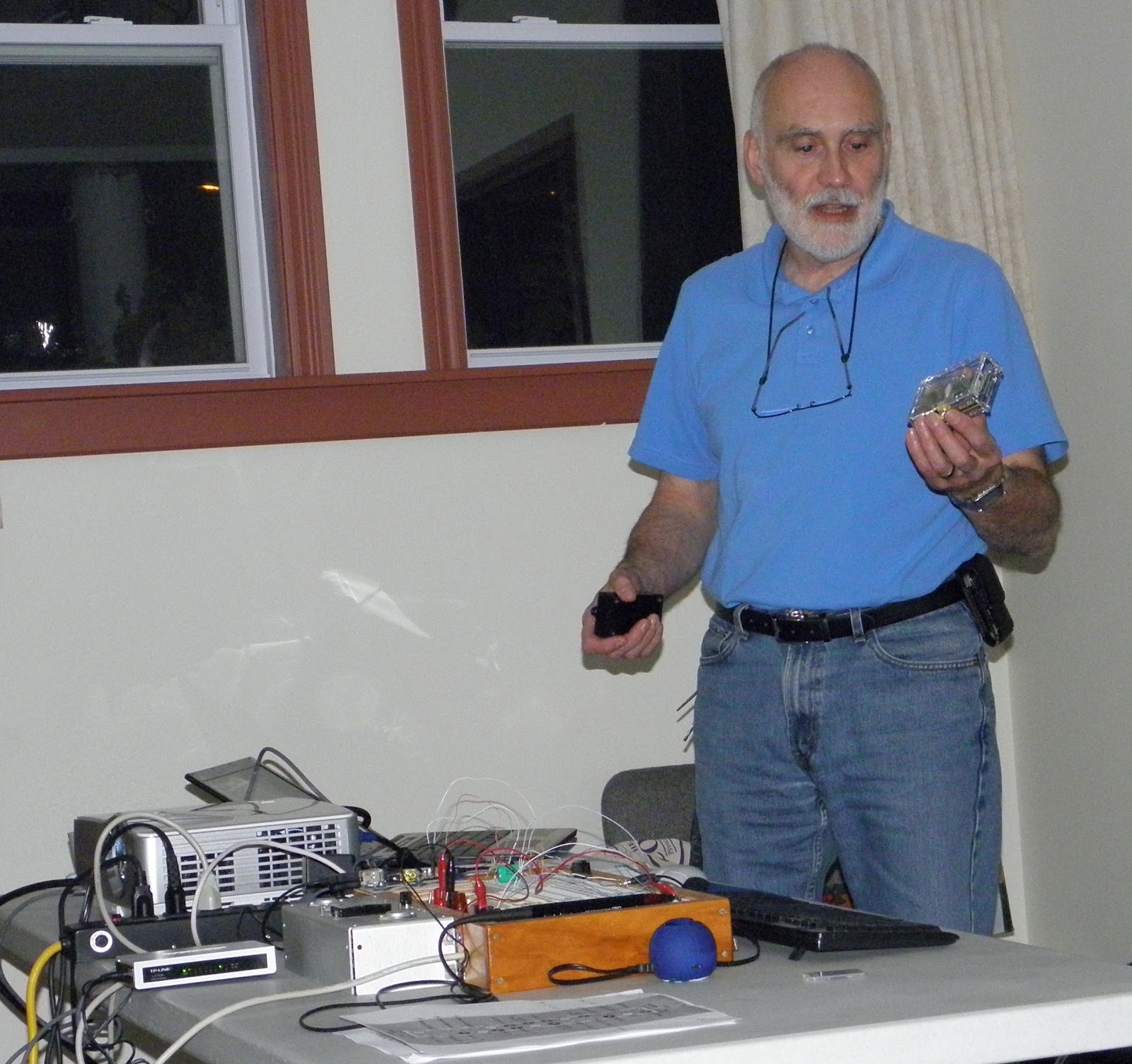
On Wednesday May 15, 2013 I presented an updated version of the Raspberry Pi presentation to the Quinte Amateur Radio Club (QARC). You can view or download a PDF of the presentation from here.
You can buy one over the counter from Qkits in Kingston, or mail order from Element 14 (make sure you select country Canada, it then ships customs cleared).
To get started, see here for the hardware and sw setup, and here for more details on the OS. The official Raspberry PI site, wiki, forum are the place to start as things are moving fast, and information gets out of date fast.
I also have a number of blog posts on things I have done with it (some of which may actually be outdated, as new and better ways to do things are emerging all the time)
A number of the PERC and QARC members have purchased rPIs and we have started a SIG mailing list. Contact me at va3ep@rac.ca if you want to be on the list.
On Wednesday October 4, 2012 I repeated this presentation at the meeting of the Kingston Amateur Radio Club where there was also a lot of interest.
On Thursday September 20, 2012 I made a presentation and demonstration of the Raspberry PI to the Prince Edward Amateur Radio Club.
Eric Pierce VA3EP - See the Disclaimer in the Introduction
© Eric Pierce and "VA3EP Amateur Radio And Other Geek Pursuits", 1952-2099. Unauthorized use and/or duplication of this material without express and written permission from this blog’s author and/or owner is strictly prohibited. Excerpts and links may be used, provided that full and clear credit is given to Eric Pierce and "VA3EP Amateur Radio And Other Geek Pursuits", with appropriate and specific direction to the original content.
Sunday, September 23, 2012
Raspberry PI - how to find out IP address
A reader writes:
> How do I determine the IP address of my Pi?
In a shell type:
$ ifconfig
If you type
$ apropos something
it will list all applicable commands, i.e.
$ apropos network
it would have listed ifconfig (but it might not have been obvious that
ifconfig with no argument will display the current network interface
conditions without changing anything). For detail on any command
$ man ifconfig
will display the manual page.
In a shell type:
$ ifconfig
If you type
$ apropos something
it will list all applicable commands, i.e.
$ apropos network
it would have listed ifconfig (but it might not have been obvious that
ifconfig with no argument will display the current network interface
conditions without changing anything). For detail on any command
$ man ifconfig
will display the manual page.
Eric Pierce VA3EP - See the Disclaimer in the Introduction
© Eric Pierce and "VA3EP Amateur Radio And Other Geek Pursuits", 1952-2099. Unauthorized use and/or duplication of this material without express and written permission from this blog’s author and/or owner is strictly prohibited. Excerpts and links may be used, provided that full and clear credit is given to Eric Pierce and "VA3EP Amateur Radio And Other Geek Pursuits", with appropriate and specific direction to the original content.
Wednesday, September 19, 2012
Raspberry PI - now supports OVERCLOCKING
If you are not checking out the Raspberry Pi main website, you miss out on cool stuff like this:
Eric Pierce VA3EP - See the Disclaimer in the Introduction
© Eric Pierce and "VA3EP Amateur Radio And Other Geek Pursuits", 1952-2099. Unauthorized use and/or duplication of this material without express and written permission from this blog’s author and/or owner is strictly prohibited. Excerpts and links may be used, provided that full and clear credit is given to Eric Pierce and "VA3EP Amateur Radio And Other Geek Pursuits", with appropriate and specific direction to the original content.
Tuesday, September 18, 2012
Raspberry PI - Lots of ways to interface to the GPIO pins
By installing the appropriate LINUX drivers and Software Modules (more on this in a later post, I hope), the rPI can communicate on the General Purpose I/O Pins (GPIO) with a LOT of different protocols.
At least one rPI LINUX disto from Adafruit has support for SPI, I2C, and one wire already built in.
Just be aware that the rPI GPIO pins are 3v3 level, and not buffered, so you have to be careful in interfacing to them, see this post for more information.
Parallel (on rPI 3v3)
http://en.wikipedia.org/wiki/Parallel_communications
up to 17 wires + Gnd
up to Mhz
Many devices (LEDs, switches)
Serial Asynchronous - Start/8 Bit/Stop (on the rPI, level is 3v3, not RS-232 level
http://en.wikipedia.org/wiki/RS-232
2 wires + Gnd (or more)
115,200 bit/s and above
Many devices (especially legacy)
1-Wire (on rPI 3v3)
http://en.wikipedia.org/wiki/One_wire
1 Wire + Gnd
up to 16.3 kbit/s
Devices
Memory
Thermometers
Clock / Timer
Digital Potentiometer
etc.
I2C (on rPI 3v3)
http://en.wikipedia.org/wiki/I2c
2 Wires + Gnd
Serial Data Line (SDA), Serial Clock (SCL)
Up to 5 MHz
Devices
SPD EEPROMs on SDRAM, DDR SDRAM, DDR2 SDRAM, NVRAM
DACs and ADCs.
intelligent speakers.
OLED/LCD displays
hardware monitors and diagnostic sensors
real-time clocks
etc.
SPI - Serial Peripheral Interface Bus (on rPI 3v3
http://en.wikipedia.org/wiki/Serial_Peripheral_Interface_Bus
4 wires + Gnd
SCLK: serial clock (output from master);
MOSI; SIMO: master output, slave input (output from master);
MISO; SOMI: master input, slave output (output from slave);
SS: slave select (active low, output from master).
Not limited to any maximum clock speed, typical 1–100 MHz
Devices
Sensors: temperature, pressure, ADC, touchscreens, video game controllers
Control devices: audio codecs, digital potentiometers, DAC
Camera lenses: Canon EF lens mount
Communications chips: Ethernet, USB, USART, CAN, IEEE 802.15.4, IEEE 802.11
Memory: flash and EEPROM
Real-time clocks
LCD displays, sometimes even for managing image data
etc.
Eric Pierce VA3EP - See the Disclaimer in the Introduction
© Eric Pierce and "VA3EP Amateur Radio And Other Geek Pursuits", 1952-2099. Unauthorized use and/or duplication of this material without express and written permission from this blog’s author and/or owner is strictly prohibited. Excerpts and links may be used, provided that full and clear credit is given to Eric Pierce and "VA3EP Amateur Radio And Other Geek Pursuits", with appropriate and specific direction to the original content.
Saturday, September 15, 2012
Raspberry PI - Keeping Rasbian Up To Date
Updated Sep 18, 2012
I enjoy reading posts in the Raspberry PI Forum. There is always something there that is interesting, and a lot of useful tips.
In This Post was a tip to keep your Rasbian LINUX up to date with latest patches as "as fixes are added every week (even daily)".
Assuming that your rPI is connected to the Internet, as the command prompt, type
sudo apt-get update
sudo apt-get upgrade
sudo reboot
and you will have all the latest updates. I did this a few weeks ago, but when I just did it I have 127 packages updated. So it looked like you need to do this regularly. There may be a way to do this automatically, but for this type of device, IMHO that would not make sense.
As reader Dave noted, this can take a LONG time, so do the upgrade when you don't want to do anything else for a while.
Also, during the upgrade there is a prompt about the file /etc/skel/.bashrc being modified (that is a file used to create individual login scripts for each account that gets created - kind of an account level AUTOEXEC.BAT). As I did not modigy it, then I assume it was one of the packages that I installed that did. The "right" thing would be to make a backup (in another term session, for example) and then after the upgrade to compare the new and old and merge the changes. May just be easier to re-install any package that breaks.
LINUX gurus know this stuff already, but this is a good tip for the LINUX newbie. See this reference for more info on the Debian apt command.
Eric Pierce VA3EP - See the Disclaimer in the Introduction
© Eric Pierce and "VA3EP Amateur Radio And Other Geek Pursuits", 1952-2099. Unauthorized use and/or duplication of this material without express and written permission from this blog’s author and/or owner is strictly prohibited. Excerpts and links may be used, provided that full and clear credit is given to Eric Pierce and "VA3EP Amateur Radio And Other Geek Pursuits", with appropriate and specific direction to the original content.
Subscribe to:
Posts (Atom)